FR 的上传功能添加,因为 fr 的上传非常的奇特,和正常的上传不一样。只能前后台配合。
而且后台要关闭 multipart 的功能, 否则后台读取不到
正常情况下的逻辑
<!DOCTYPE html>
<html lang="en">
<head>
    <meta charset="UTF-8">
    <title>File Upload</title>
</head>
<body>
    <h1>Upload a File</h1>
    <input type="file" id="fileInput">
    <button onclick="uploadFile()">Upload</button>

    <script>
        function uploadFile() {
            const fileInput = document.getElementById('fileInput');
            const file = fileInput.files[0];

            if (!file) {
                alert("Please select a file first!");
                return;
            }

            const formData = new FormData();
            formData.append("file", file);

            const xhr = new XMLHttpRequest();
            xhr.open("POST", "http://localhost:8080/upload", true);

            xhr.onreadystatechange = function () {
                if (xhr.readyState === 4 && xhr.status === 200) {
                    alert("File uploaded successfully!");
                }
            };

            xhr.send(formData);
        }
    </script>
</body>
</html>
package com.example.demo.controller;

import org.springframework.http.HttpStatus;
import org.springframework.http.ResponseEntity;
import org.springframework.web.bind.annotation.*;
import org.springframework.web.multipart.MultipartFile;

import java.io.File;
import java.io.IOException;

@RestController
public class FileUploadController {

    @PostMapping("/upload")
    public ResponseEntity<String> handleFileUpload(@RequestParam("file") MultipartFile file) {
        if (file.isEmpty()) {
            return new ResponseEntity<>("Please select a file!", HttpStatus.OK);
        }

        try {
            // 保存文件到本地
            String uploadDir = "uploads/";
            File uploadDirFile = new File(uploadDir);
            if (!uploadDirFile.exists()) {
                uploadDirFile.mkdirs();
            }

            String filePath = uploadDir + file.getOriginalFilename();
            file.transferTo(new File(filePath));

            return new ResponseEntity<>("File uploaded successfully: " + filePath, HttpStatus.OK);
        } catch (IOException e) {
            return new ResponseEntity<>("File upload failed: " + e.getMessage(), HttpStatus.INTERNAL_SERVER_ERROR);
        }
    }
}
application.properties 文件

spring.servlet.multipart.enabled=true
spring.servlet.multipart.max-file-size=2MB
spring.servlet.multipart.max-request-size=2MB
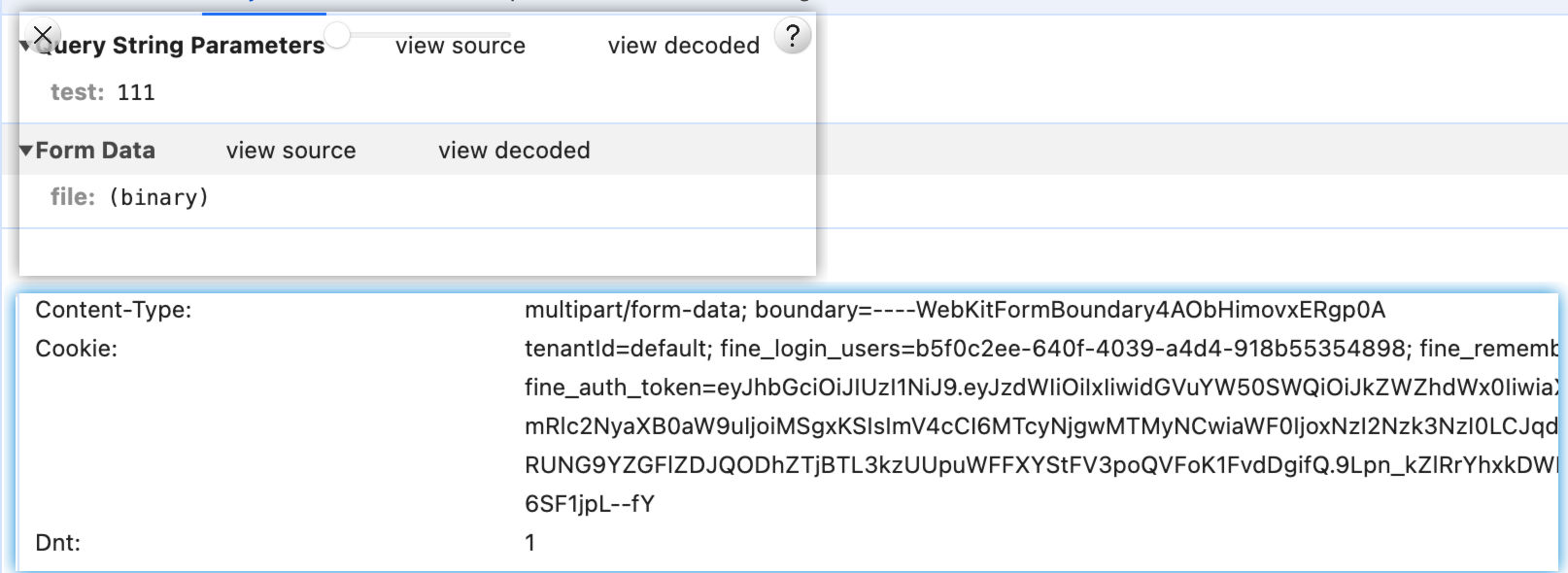
上面这种方式,请求是这样的
FR 的逻辑
fr 有一个文件 noswfupload.js
文件内容如下
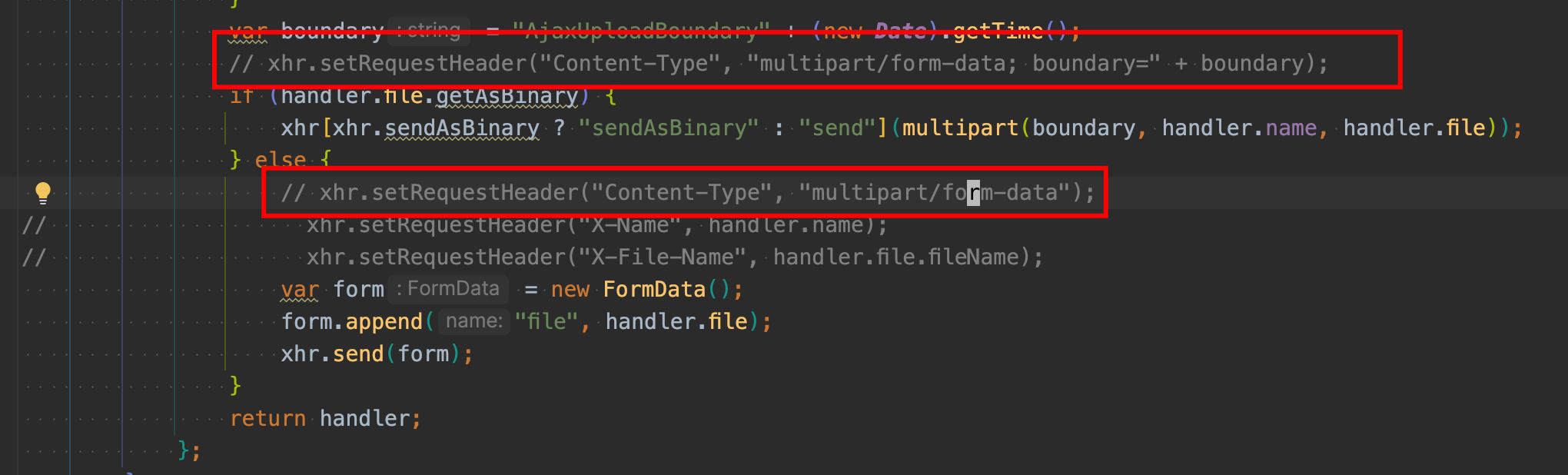
这种方式会导致请求变成这样
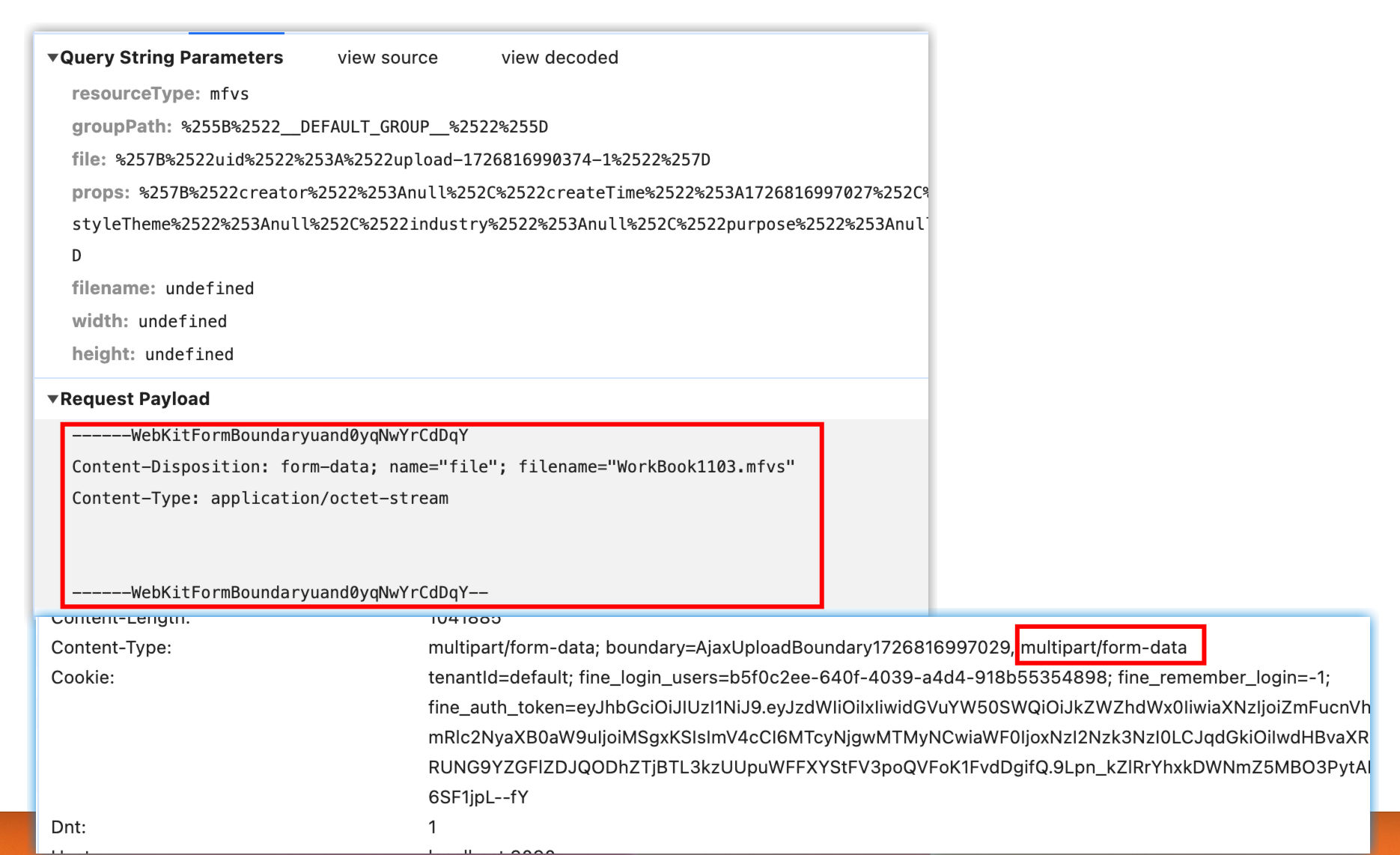
从而后台接受时,只能通过对应的方案,即
ParseResult parseResult = PostParseUtils.parse(inputStream, req.getCharacterEncoding());
来获取传递的值。